Everything you need to manage student breaks
A complete toolkit for teachers and administrators — from one-click rosters to school-wide analytics, all built for real classroom use.
Get Started FreeBuilt for the way classrooms actually run
Set up in minutes, get out of the way during class, and have the data you need when conferences roll around.
Quick & easy setup
Up and running in minutes — no IT tickets required.
- One-click Google Classroom roster sync
- Drag-and-drop CSV / Excel import
- Automatic 4-character passcode generation
- Printable passcode distribution sheets
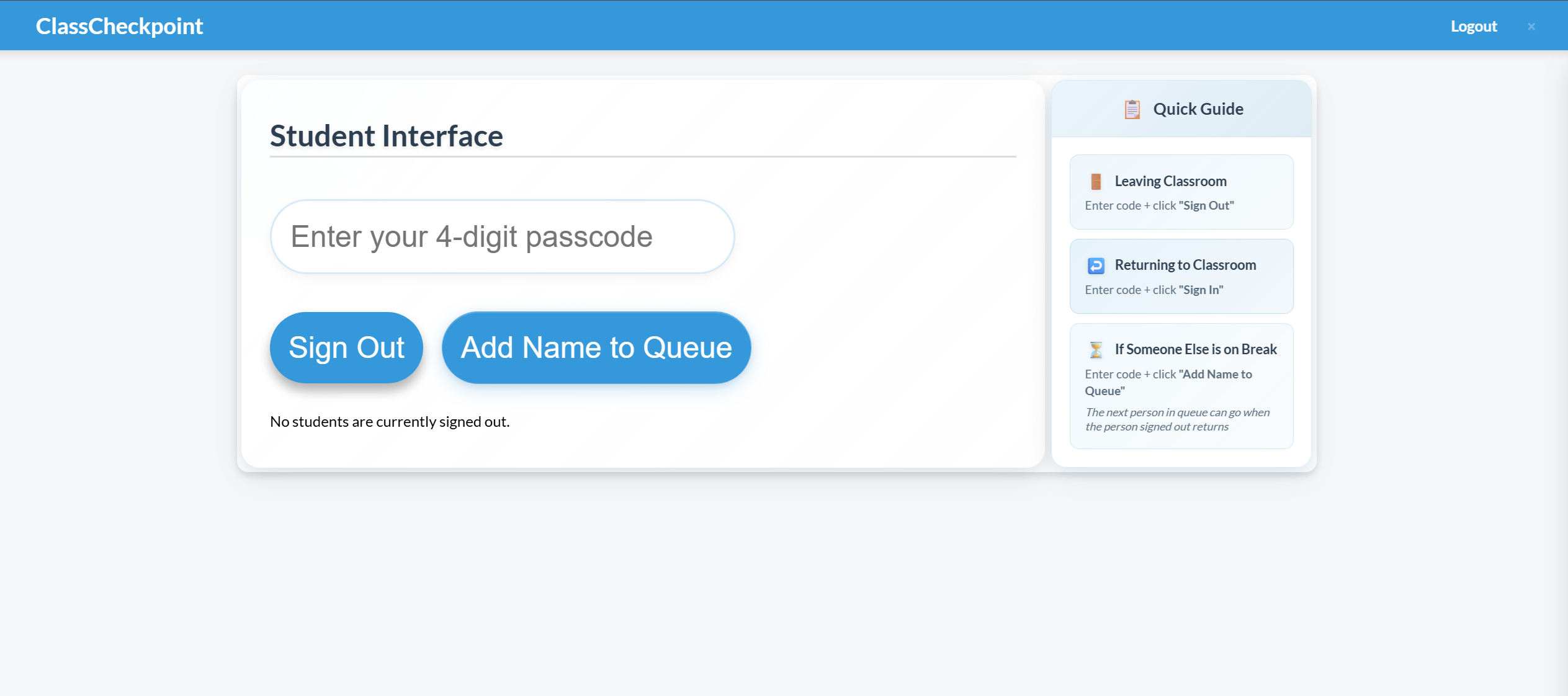
Intuitive student interface
A clean tap-and-go screen students learn in seconds.
- Passcode entry for quick sign-in / sign-out
- Real-time break status display
- Touch-friendly for tablets and Chromebooks
- Automatic time tracking — no teacher input
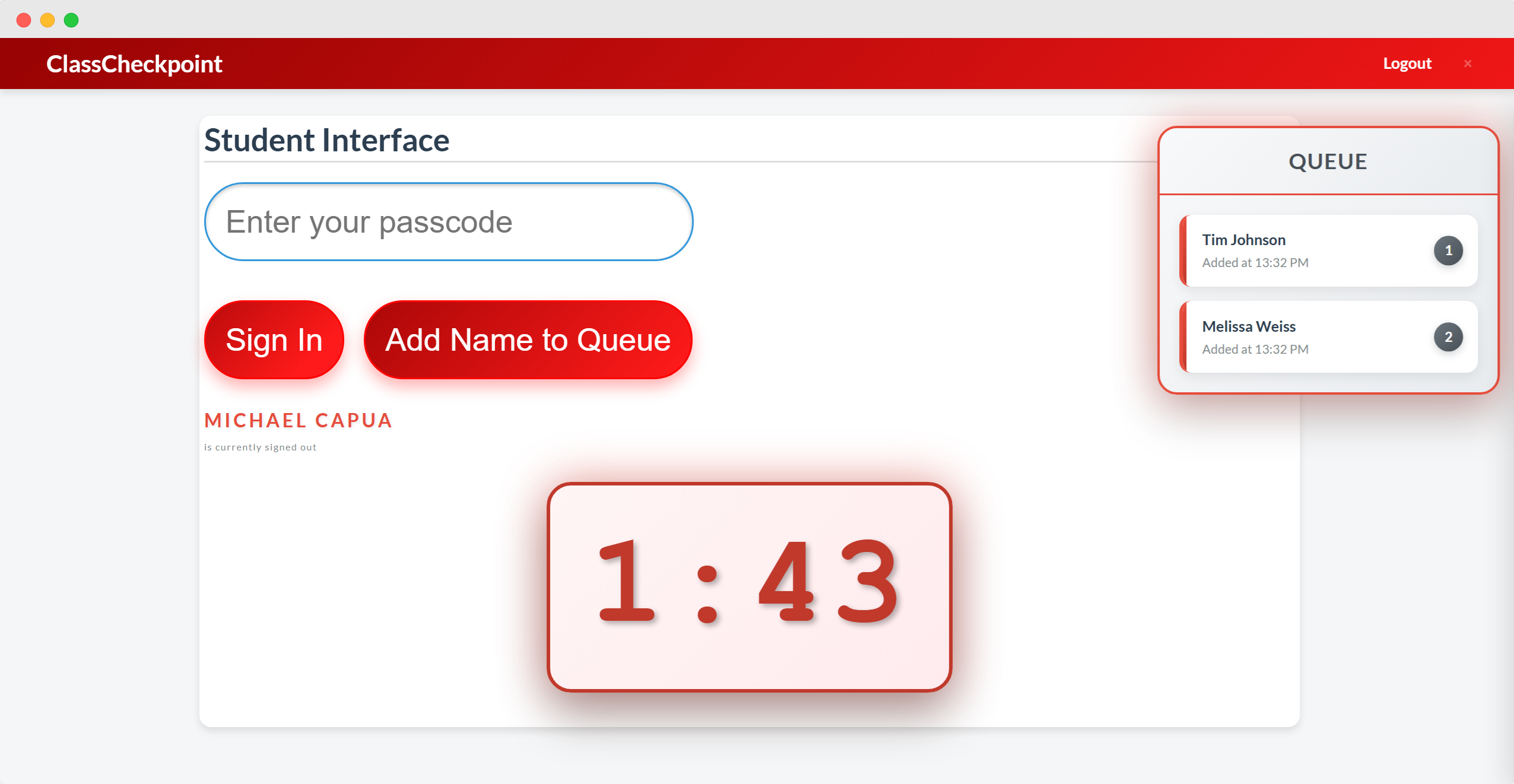
Smart queue management
Order and fairness when too many students want to go at once.
- Automatic queue when capacity is reached
- First-come, first-served allocation
- Live queue position for students
- Configurable simultaneous-break limit
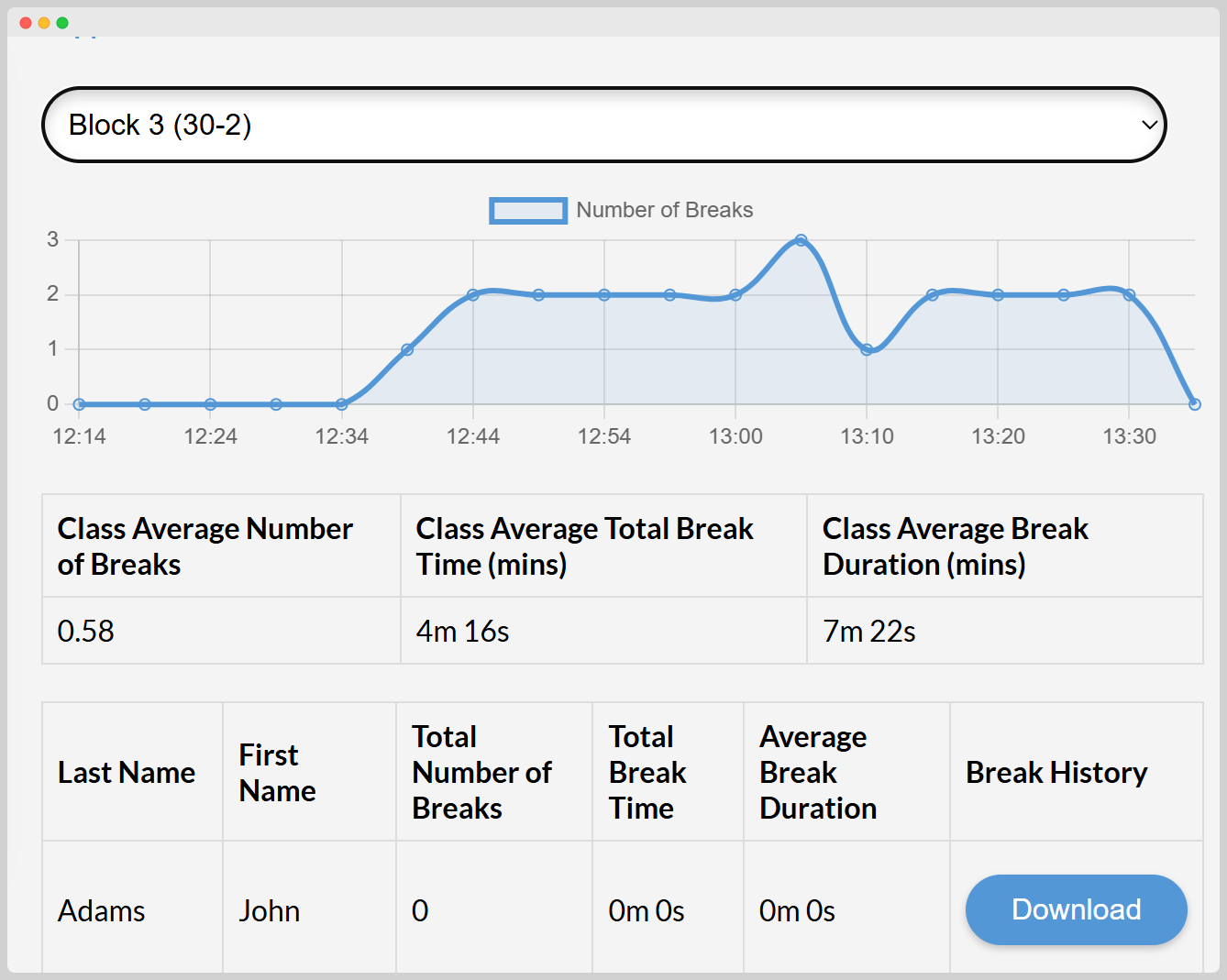
Comprehensive analytics
Turn break data into insight — automatically.
- Per-student frequency and duration trends
- Class-wide usage reporting
- Weekly Sunday email digest with class summary
- Historical data for long-term review
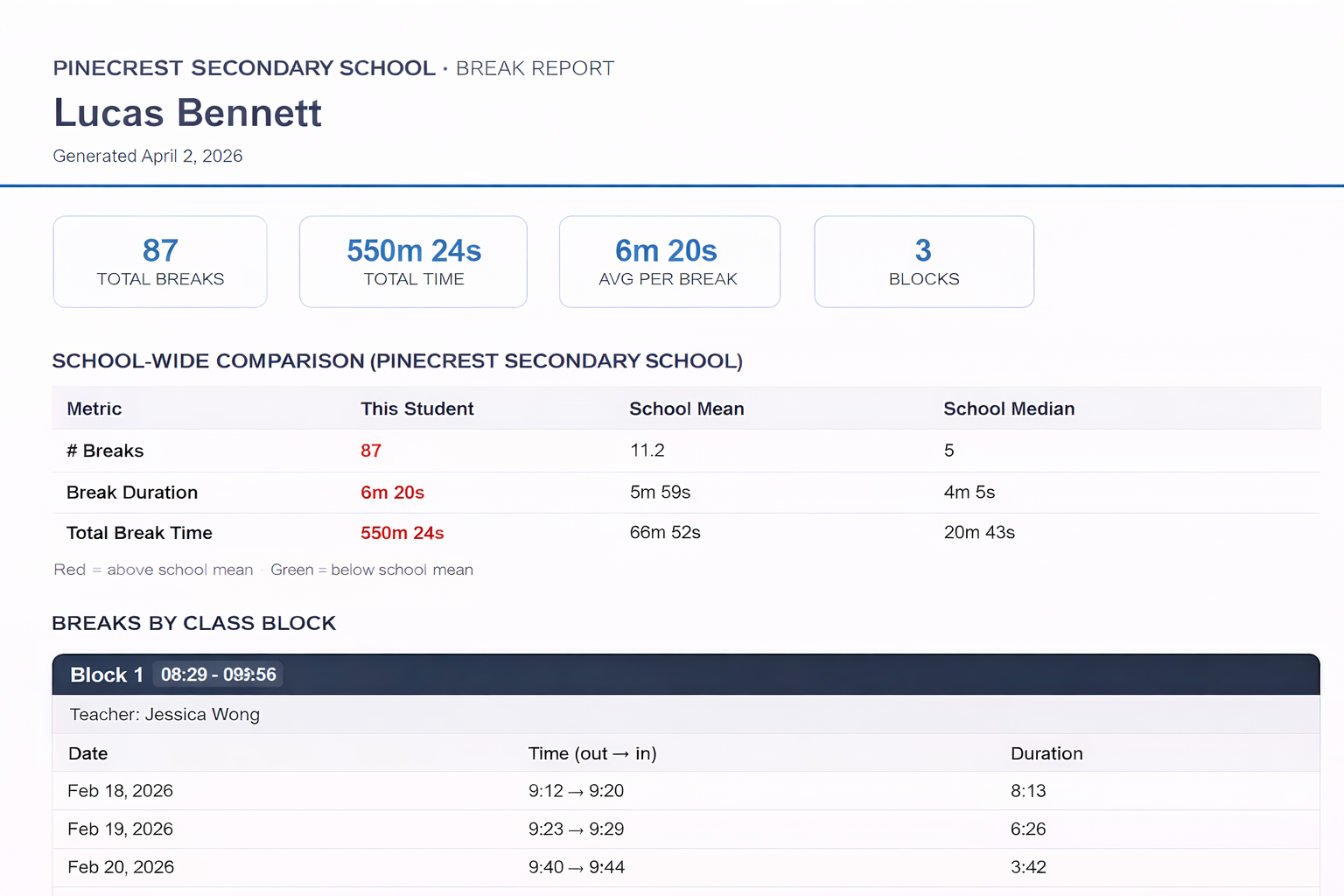
Individual break reports
A full break history for any student — ready for parent meetings, behavioural reviews, or support team huddles.
- Timestamped log of every break taken
- Duration, frequency, and trends at a glance
- Available to teachers for their own classes
- Available to administrators across the whole school
Privacy & security
Minimal data, securely stored on Firebase.
- Minimal data: only names and break times
- Encrypted storage across all records
- Privacy-by-design for educational use
- Teacher controlled: you decide what to keep
Flexible configuration
Tune the system to match your classroom.
- Per-student maximum break duration
- Simultaneous break capacity
- Visual alerts for extended breaks
- Toggle queue behaviour by class size
A single dashboard for the whole building
Live hallway visibility, school-wide trends, and behavioural controls — designed for principals and vice-principals running real schools.
School-wide analytics & reports
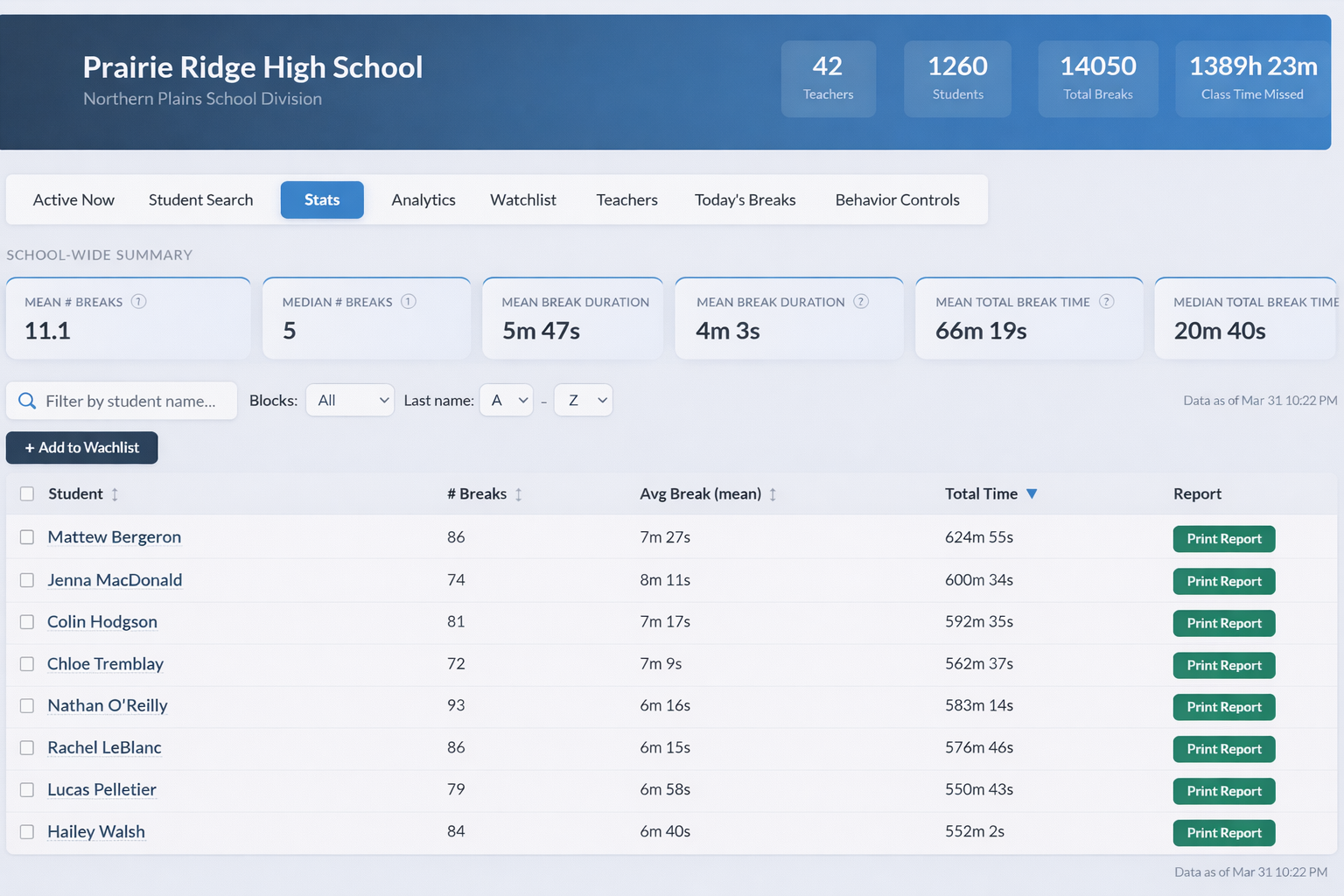
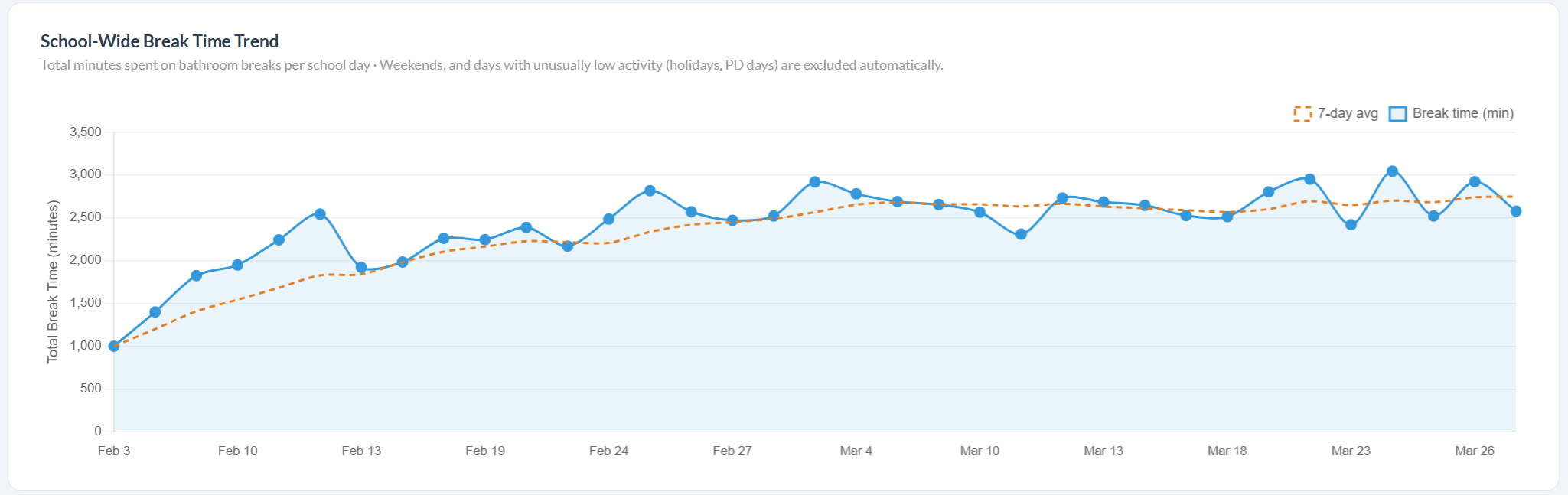
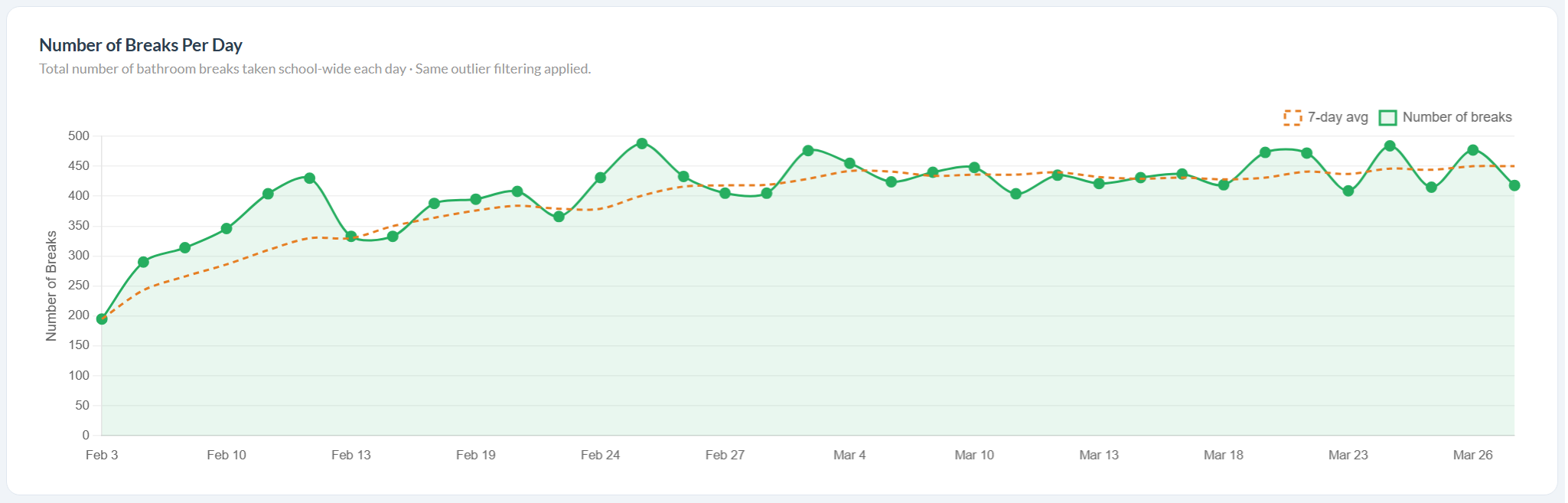
View total breaks and average duration by class, identify peak periods and days, track individual classrooms over time, and compare school-wide trends week over week. Data updates in real time and is retained historically — so patterns are always there when policy or student-support meetings need them.
Student watchlist
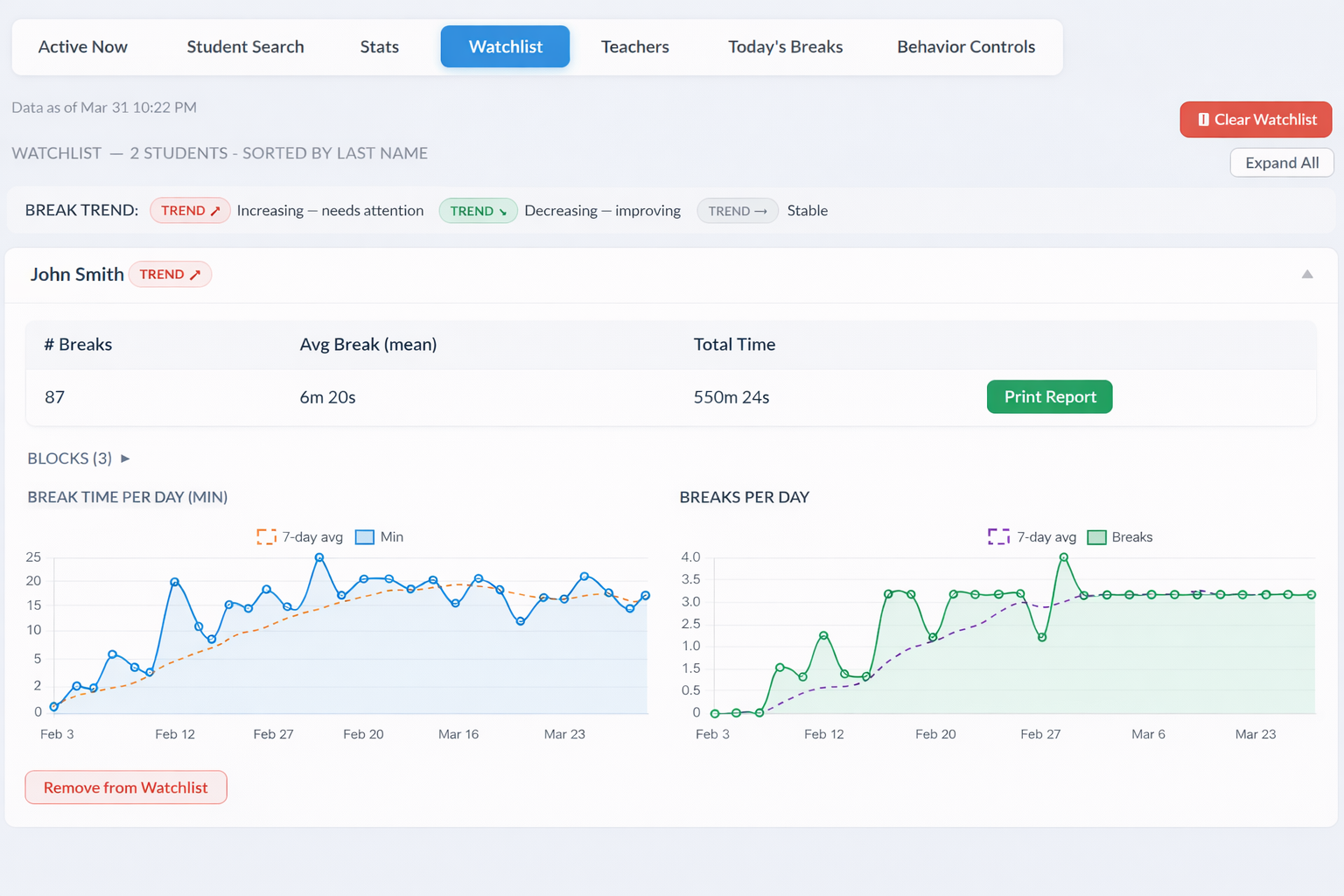
Flag students who need extra monitoring. Watchlisted students trigger an instant alert in the principal dashboard the moment they sign out — so administration always knows their whereabouts in real time.
Behavioural controls
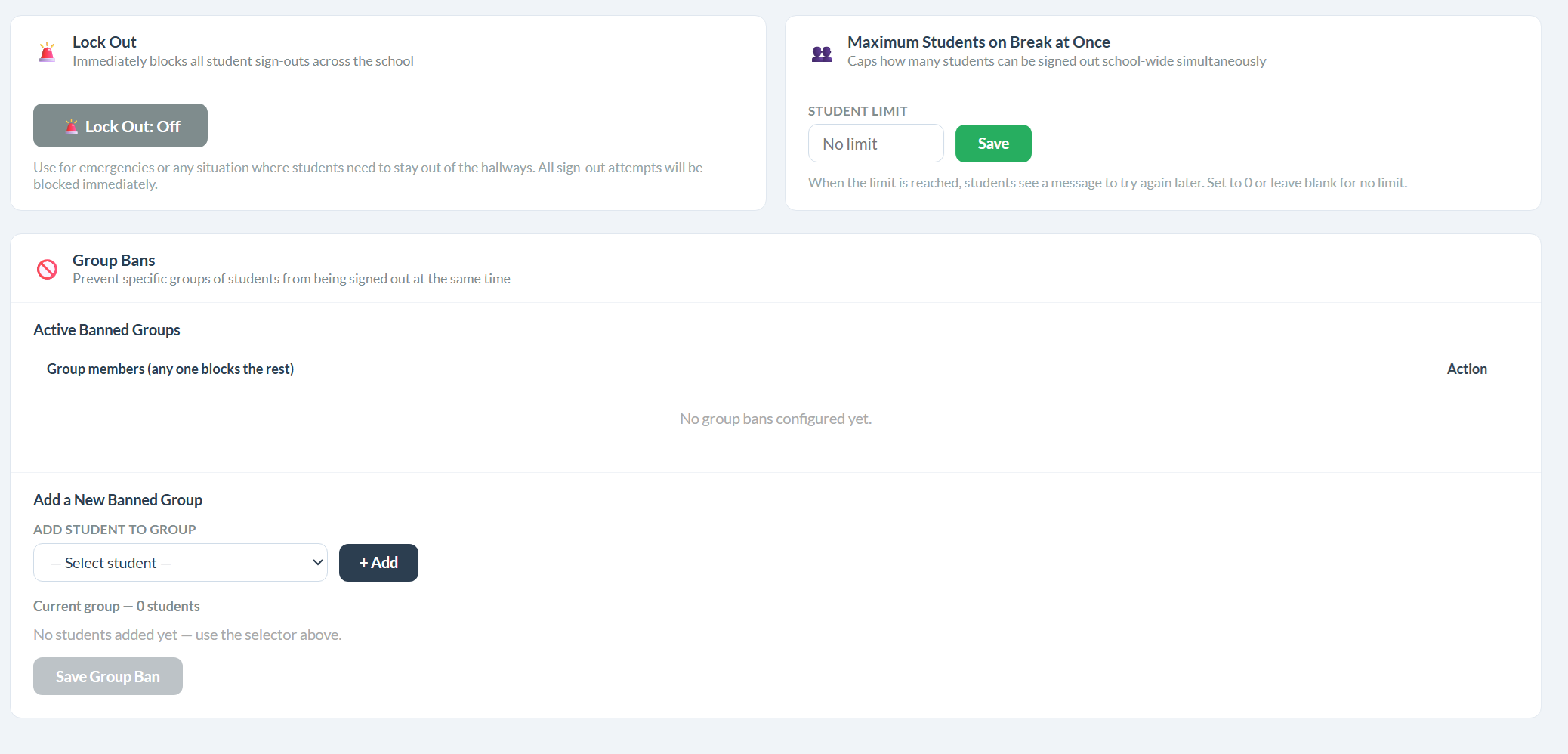
Set a school-wide cap on how many students can be in the hallway at once, ban specific groups from signing out together, and trigger an instant school-wide Lock Out — immediately preventing any new sign-outs across every classroom.
Ready to try it?
Setup takes about three minutes. No credit card, no IT approval, no training required.
Start for Free with Google